3 iOS Apps · Graphics & Design · Free on iPhone
Snap it. Sculpt it. Export in 3D.
Turn everyday photos, text prompts, and multiview captures into detailed 3D models on iPhone. Three focused apps for AR preview, 3D printing, and game-ready GLB and OBJ export.
Three apps. One 3D workflow.
Each app is crafted for a distinct 3D creation style — from multi-format studio output to instant AR and precision mesh controls.
Advanced iPhone 3D Studio
2D Image to 3D Model Maker
Image, text, and multiview capture in one 3D studio.
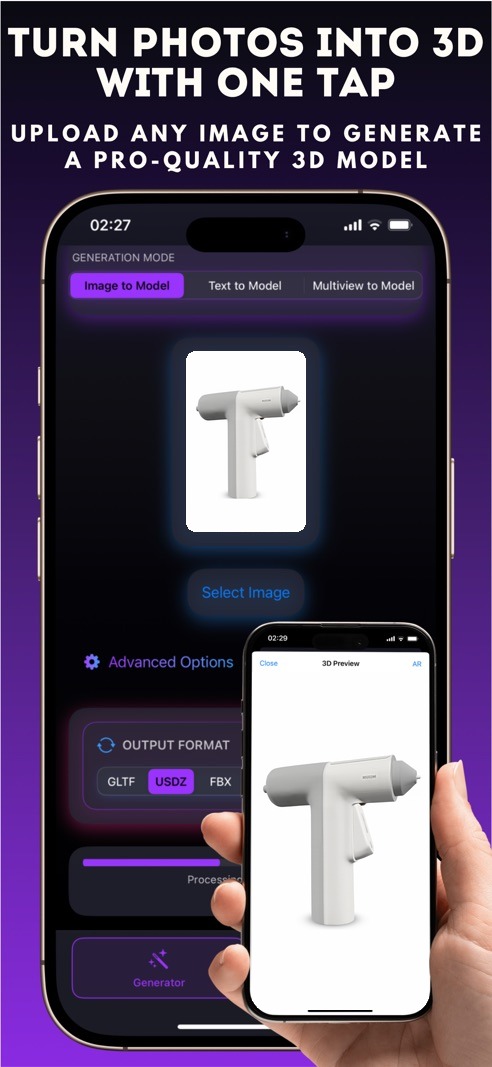
Create detailed 3D models from a single photo, a text prompt, or front-side-back multiview photos — then customize styles and export in six formats.
USDZ · GLTF · OBJ · FBX · STL · 3MF
- ✦Image to 3D, Text to 3D, and Multiview capture
- ✦Export in USDZ, GLTF, OBJ, FBX, STL, or 3MF
- ✦Adjust textures, polygon density, lighting, and artistic styles
- ✦Built-in AR preview, interactive 3D viewer, and Model Gallery
iPhone 3D maker Lite
Pic3D Maker - Image to 3D
Instant 2D-to-3D conversion with real-world AR mode.
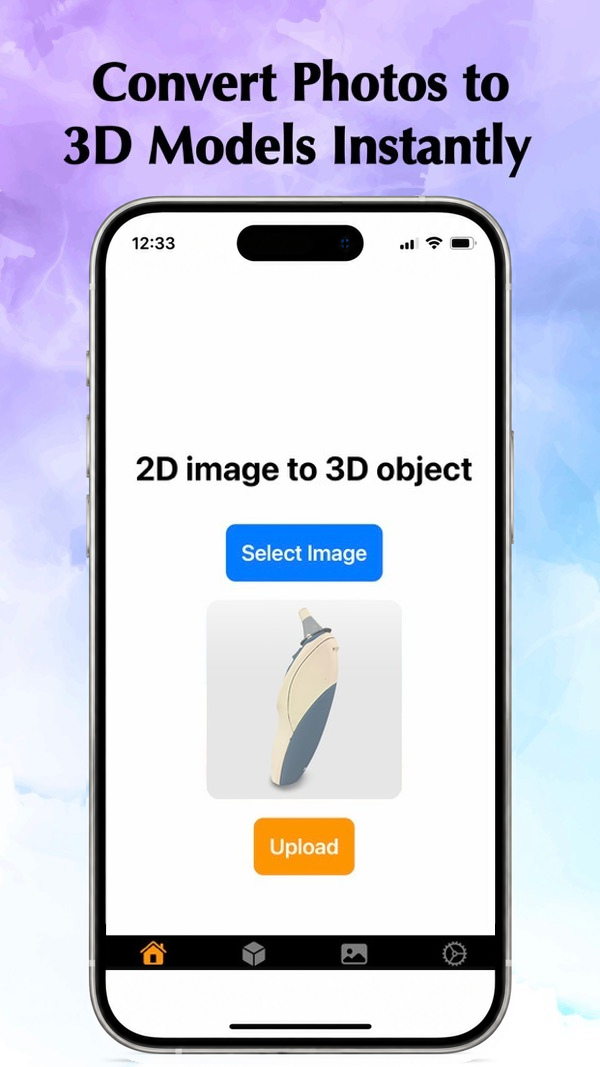
Turn any photo into a detailed 3D model in seconds, inspect every angle in an intuitive 3D viewer, and place it in your room with AR.
USDZ · AR Mode
- ✦Instant 2D photo to 3D model conversion in a few taps
- ✦Augmented Reality mode to place models in the real world
- ✦Intuitive rotate, zoom, and pan 3D viewer
- ✦Export high-quality GLB and OBJ files on https://convert3d.org/convert or use our Advanced iPhone 3D studio app.

Pay per use 3D maker
3D Model Maker Image to 3D
Precision cloud AI with topology, polycount, and PBR controls.
Pick a photo and fine-tune Triangle or Quad topology, target polycount, symmetry, remesh, PBR textures, and T/A pose before exporting clean .glb files.
GLB · PBR · Triangle / Quad
- ✦Fine-tune Triangle/Quad topology and target polycount
- ✦Symmetry, remesh, PBR textures, and T/A pose controls
- ✦Integrated 3D web viewer with full model history tab
- ✦Export .glb files via Files, AirDrop, or into game engines
A look inside the apps
Six real iPhone screens across 2D Image to 3D Model Maker, Pic3D Maker, and 3D Model Maker.
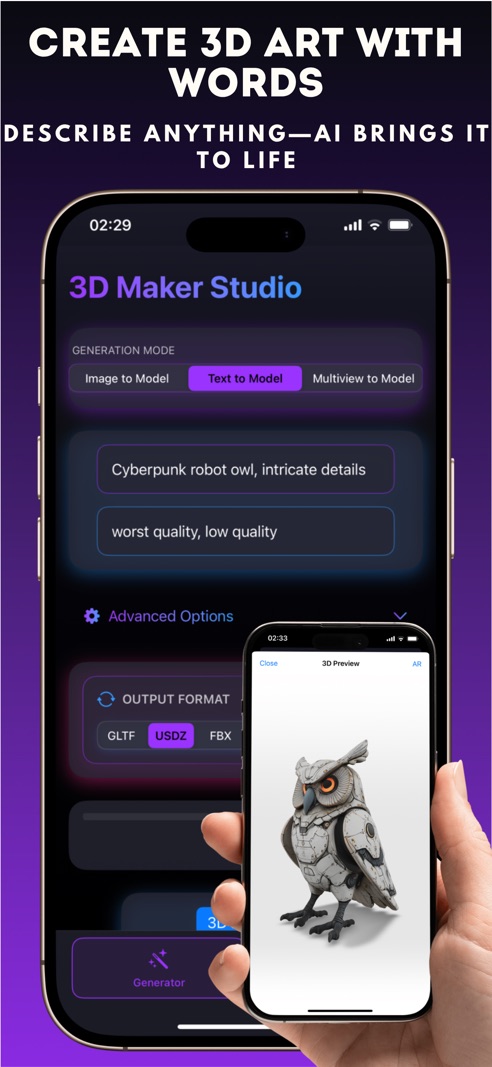
01 · 2D Image to 3D Model Maker
Turn ideas into 3D
Start from a photo, a text description, or multiple camera angles.
02 · 2D Image to 3D Model Maker
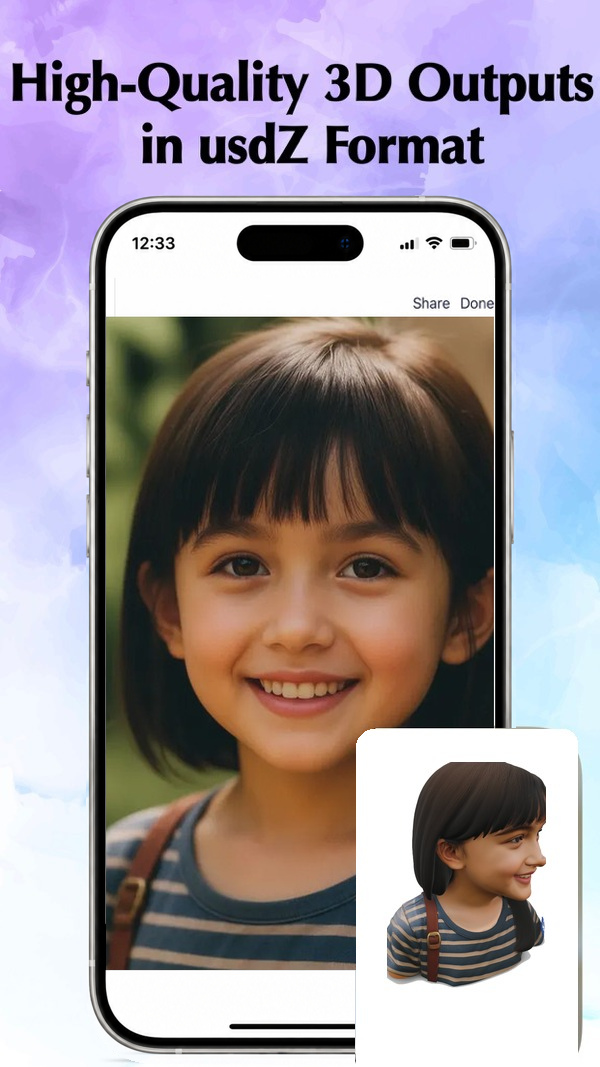
Styles & customization
Adjust textures, polygon density, lighting, and artistic finishes.
03 · Pic3D Maker - Image to 3D
Instant 2D to 3D
Pick a photo and watch Pic3D Maker bring it into three dimensions in seconds.
04 · Pic3D Maker - Image to 3D
Inspect & place in AR
Orbit every detail in the 3D viewer or drop the model into your room with AR.
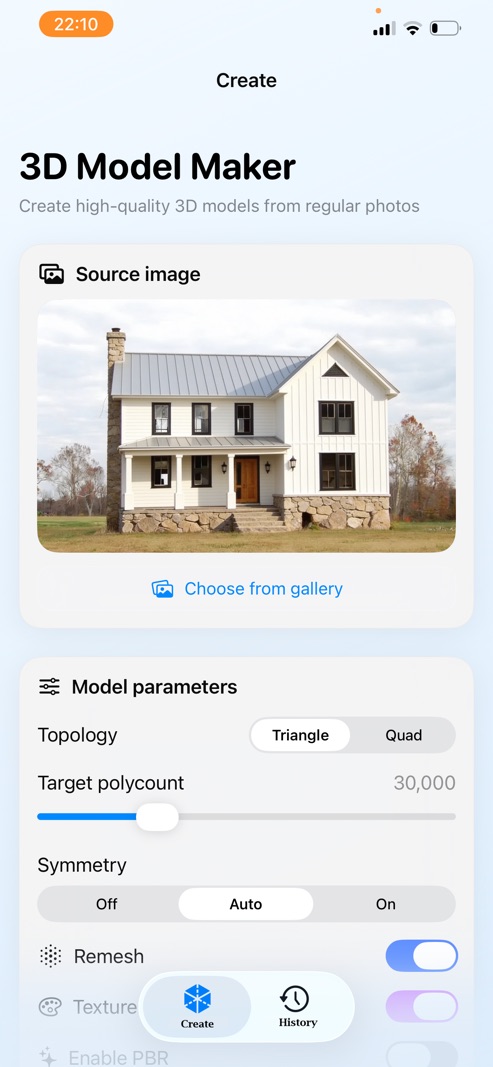
05 · 3D Model Maker Image to 3D
Fine-tune your mesh
Set Triangle or Quad topology, target polycount, symmetry, and PBR options.
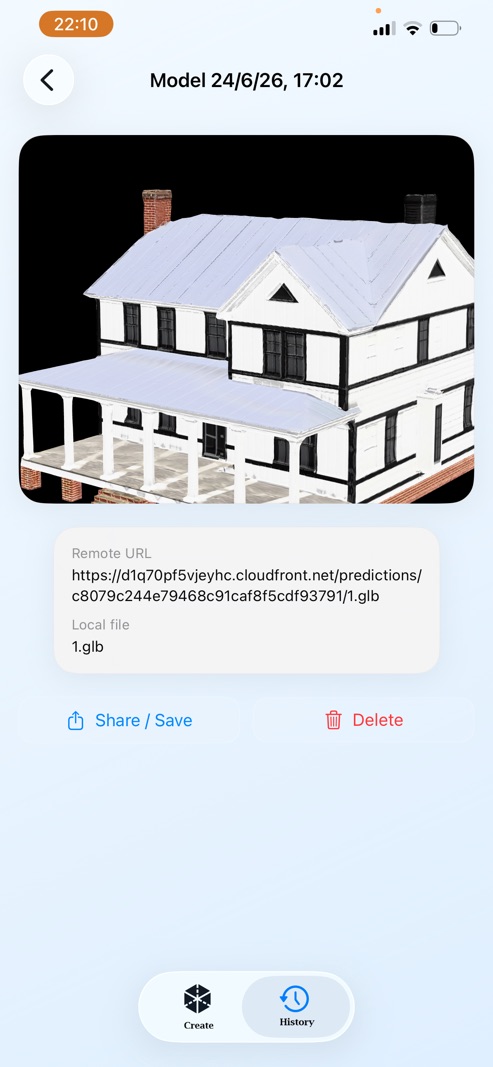
06 · 3D Model Maker Image to 3D
History & GLB export
Keep every generated model organized and share .glb files via AirDrop or Files.
Less modeling. More creating.
- ✦Three focused iOS apps. Pick the exact workflow you need — full multi-format studio, instant AR conversion, or precision topology control.
- ✦No 3D skills required. Cloud AI handles reconstruction, meshing, and texturing so anyone can go from 2D photo to 3D model on iPhone.
- ✦Built for real pipelines. Export industry-standard GLB, OBJ, USDZ, GLTF, FBX, STL, and 3MF files that open cleanly in 3D software and slicers.
- ✦Instant 3D & AR preview. Verify proportions, lighting, and textures right on your phone before you share or print.
Everything your 3D workflow needs
Photo to 3D in seconds
Convert any everyday photo from your camera roll into a detailed 3D mesh in a few taps across all three apps.
Text & multiview capture
Describe what you imagine or supply front, side, and back photos for ultra-precise reconstruction in 2D Image to 3D Model Maker.
Pro topology & PBR controls
Choose Triangle or Quad topology, target polycount, symmetry, remesh, PBR textures, and T/A pose in 3D Model Maker.
Export in every format
Save creations as GLB, OBJ, USDZ, GLTF, FBX, STL, or 3MF for Blender, Unity, Unreal, AR Quick Look, or 3D printers.
Augmented Reality preview
Drop your generated 3D models straight into the real world with AR mode in Pic3D Maker and 2D Image to 3D Model Maker.
Interactive 3D viewer
Rotate, zoom, pan, and inspect textures and geometry from every angle right on your iPhone before exporting.
Highlights across the suite
★★★★★ · Pic3D Maker - Image to 3D
5.0 on the App Store
Instant 2D-to-3D conversion with an intuitive viewer, real-world AR mode, and clean GLB/OBJ exports.
6 Export Formats · 2D Image to 3D Model Maker
USDZ, GLTF, OBJ, FBX, STL & 3MF
Combine Image to 3D, Text to 3D, and Multiview capture with clay, cartoon, and steampunk styles.
Pro Mesh Controls · 3D Model Maker Image to 3D
Triangle/Quad, Polycount & PBR
Fine-tune topology, symmetry, remesh, and T/A pose with a complete history of every generated .glb model.
iOS Native · Made by Hanva, LLC
Built for fast mobile 3D creation
Free to download on iPhone with flexible in-app options and direct support at support@hanvallc.com.
A full 3D studio, in your pocket.
Choose the 3DModelMaker iOS app that fits your workflow — all free to download on the App Store.